Go to step 3 when using postgraduate academic system on campus. For students who login the postgraduate system outside of the campus should first finish step 1 and 2.
1. At first login the Digital UPC (http://cas.upc.edu.cn/cas/login) to reset a complicated password. Default username and password are the same as the student number. The new complicated password shall contain capital letters, small letters, special characters and digitals, and no less than 8 characters.
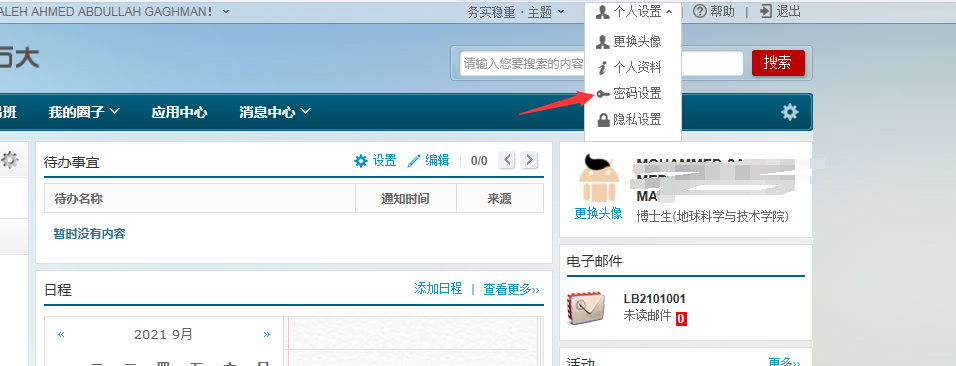
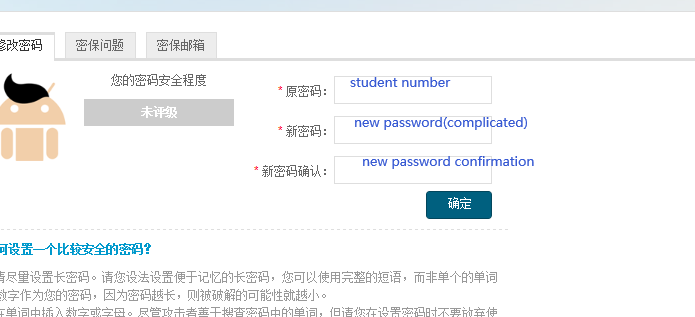
After reset the password, then use this complicated password to log in another webside of WEBVPN(Step 2), which is the access to all university systems for students outside campus.
2. Login webvpn:https://wvpn.upc.edu.cn/login. Username and password are the same used for Digital UPC. Default username is your student number, and the password is the complicated one you have reset in first step.
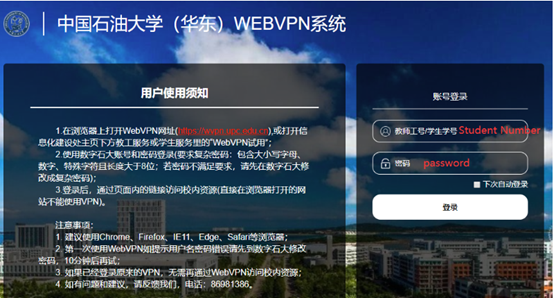
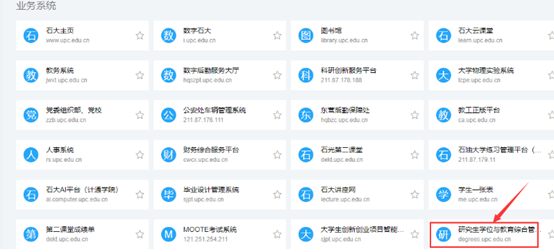
Click on “研究生学位与教育综合管理系统” in the webvpn website.
Note: As has explained in Step 1, the password for webvpn should contain capital letters, small letters, special characters and digitals, and no less than 8 characters. If the password cannot meet the requirement, the following message will be shown:
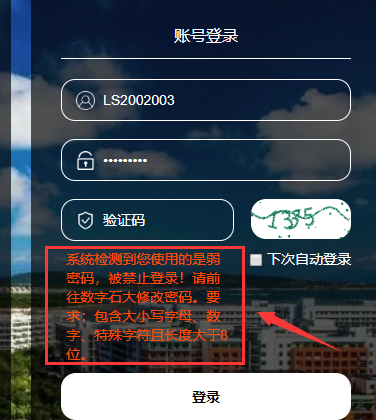
In this case, students shall go back to Step 1 and reset a complicated password.
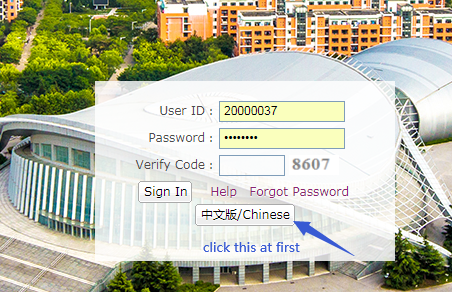
3. Enter thepostgraduate academicsystem from CHINESE version only
https://degrees.upc.edu.cn
User ID:Student Number
Password:Birthday date
For example, if the student’s birthday is Jan. 3rd, 1990, the password is 19900103
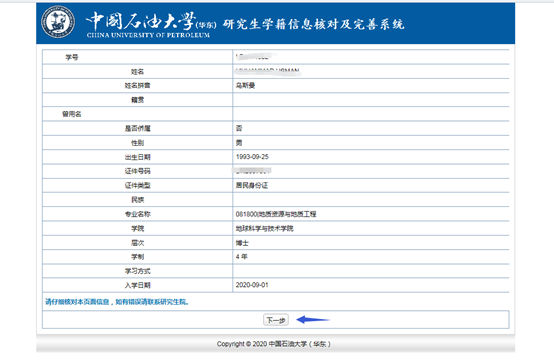
4. click “下一步”directly
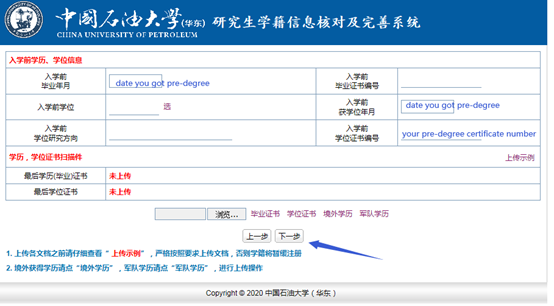
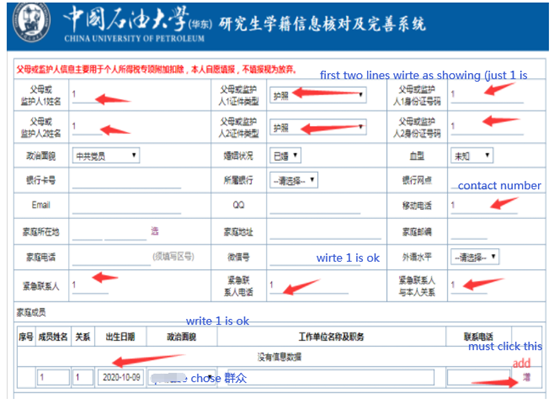
5. only type in the blue words space as introduction
6. only fill in the red arrows space as introduction and then click“下一步”
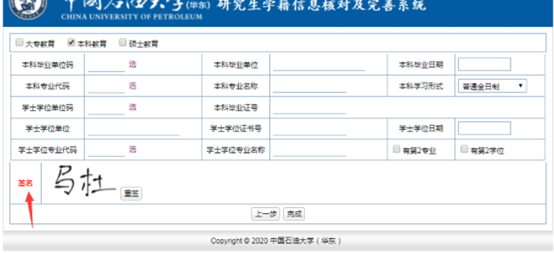
7.only sign and click“完成”
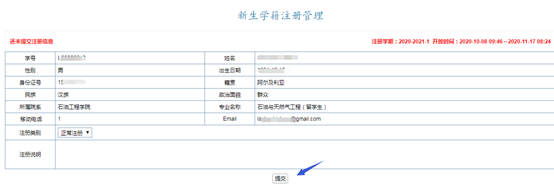
8. click “提交”then done
Note: If students want to select courses in system after finishing registration, English-medium program students can log out and log in again from English version to do it.